The chat lands at the second you set.
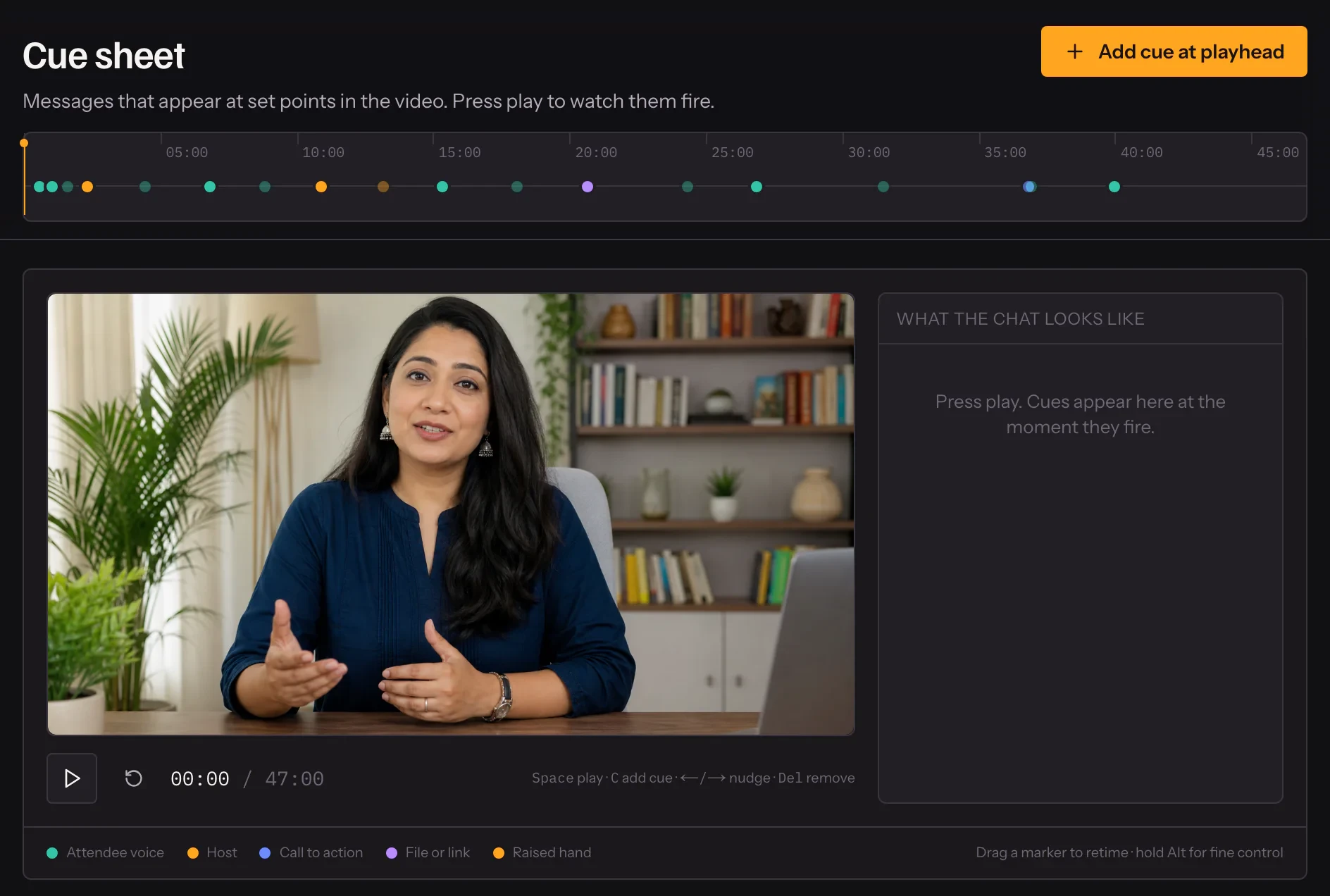
Pin messages to moments in your recording on a timeline against the real video. Questions where questions get asked, your offer where you make it, a link where you mention it.
- 01
Scrub to the moment
The editor plays your recording beside the timeline.
- 02
Add a cue
Attendee chat, a host message, a call to action, or a file or link.
- 03
It runs every session
The same cue lands at the same second, every time.

In practice
Written against the video, not a spreadsheet
The cue editor plays your recording beside a timeline. Scrub to the sentence where people usually ask about price, add a question there, and play it back to see it land. Every cue has an author, a second and a kind, and you can move it by dragging rather than retyping a number.
Four kinds, one timeline
Attendee messages make the room feel occupied. Host messages say what you would say in the chat if you were there. A call to action puts a button on screen at the moment you make the offer. A file or link hands over the workbook or the booking page when you mention it.
Every session, the same room
Cues are part of the webinar, not of a session, so every sitting gets the same chat at the same seconds. Somebody joining late sees the last few messages that came before them, so the room is never empty when they arrive.
What it includes
- Four kinds of cue
- Attendee chat, host message, call to action, and file or link — plus raised hands.
- Edited against the real video
- A timeline you scrub, not a list of numbers to guess at.
- Late arrivals see recent chat
- Joining mid-session backfills the last few messages so the room never looks empty.
- Handouts pinned to a phase
- A deck or booking link on the waiting screen, during the talk, or on the end card.
Questions
Can I write the chat in Hindi?
Yes — write it in any language. AI-written chat follows the language of your recording, including a mix.
Can a real question become a cue?
Yes. A question from your inbox can be promoted to a cue, so future sessions see it too.
Is there a limit on cues?
Each plan sets how many scripted messages a webinar can carry. The pricing page lists them.
Can I switch a cue off without deleting it?
Yes. Cues can be switched off and on, which is how AI-written ones arrive.
Try it on your own recording
Fourteen days with everything switched on, no card.