Reminders from your own domain, sent at the right moment.
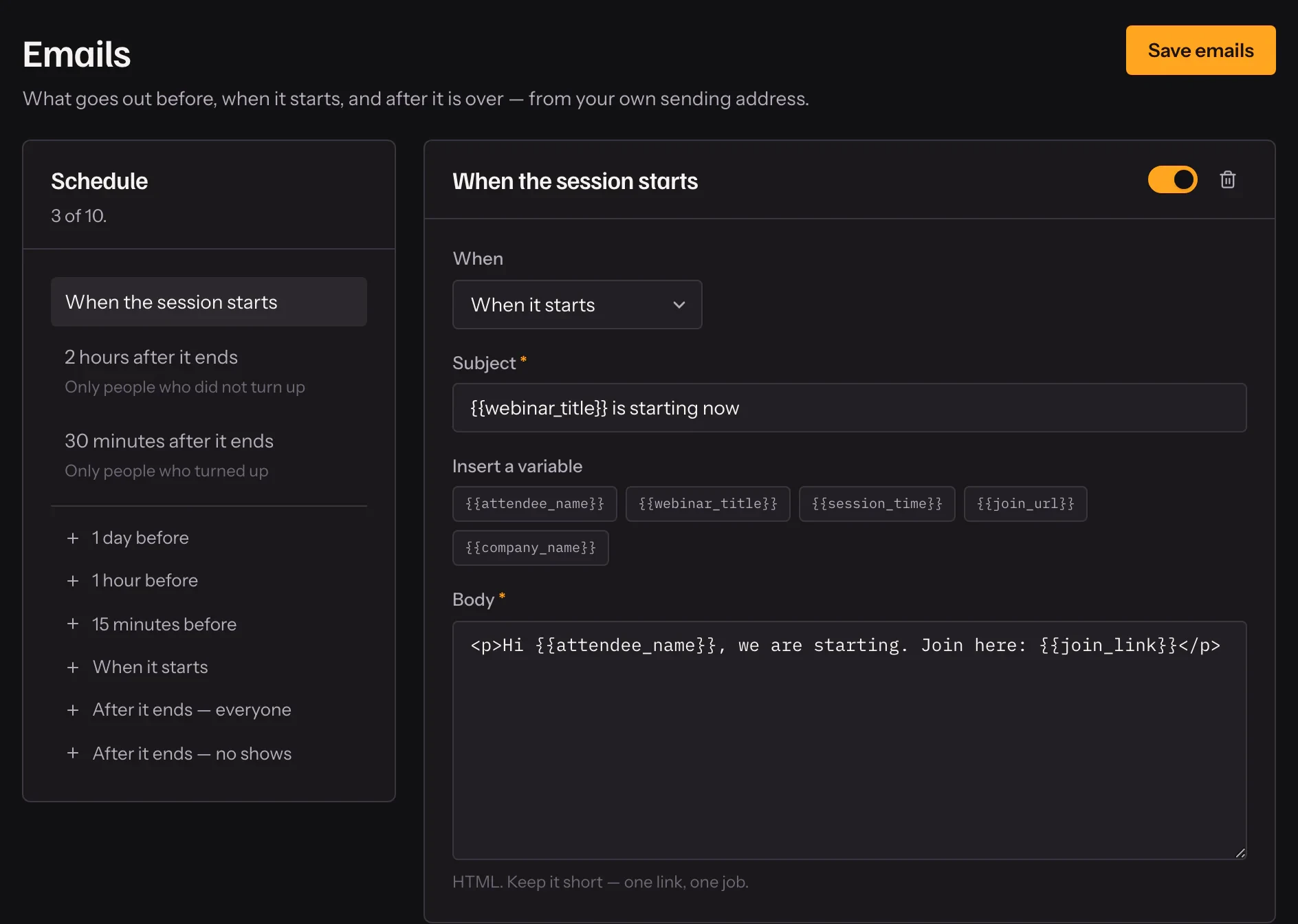
Before the session, when it starts, and after it ends — with follow-ups that can go to everybody, only attendees, or only the people who did not make it.
- 01
Pick the moments
Before, at start, and after the session.
- 02
Choose who gets each
Everybody, attendees only, or no-shows only.
- 03
Send from your domain
Connect your SMTP so mail arrives as you.
In practice
Three moments that matter
Before the session, so it is in their calendar. At the start, so the people who forgot get a link at the moment it is useful. After the end, so the conversation continues. A webinar can carry as many of each as you need, in your words.
Different words for different people
A follow-up can go to everybody, only to the people who attended, or only to the people who did not. The person who stayed to the end gets your offer again; the no-show gets the next session and a reason to come.
From your address
Connect your own SMTP and reminders are sent as you, from your domain, which is what lands them in the inbox rather than promotions. Each person gets each reminder once, however many times a background job retries.
What it includes
- Three triggers
- Before the session, at the start, and after it ends.
- Follow-ups by attendance
- Different words for the people who came and the people who did not.
- Never sent twice
- Each person gets each reminder once, however often a job retries.
- Placeholders
- Name, webinar title, session time and a join link in every email.
Questions
Do I need my own email server?
For reminders on scheduled webinars, connect your SMTP so mail comes from your domain and lands in the inbox.
Can I write the emails in Hindi?
Yes. Write them in any language.
Can on-demand webinars send a reminder before?
No — an on-demand session starts when somebody registers, so there is no "before". At-start and after-end reminders work in every mode.
What can I put in an email?
Placeholders for the attendee’s name, the webinar, the session time and their personal join link.
Try it on your own recording
Fourteen days with everything switched on, no card.