Your branding on every page an attendee sees.
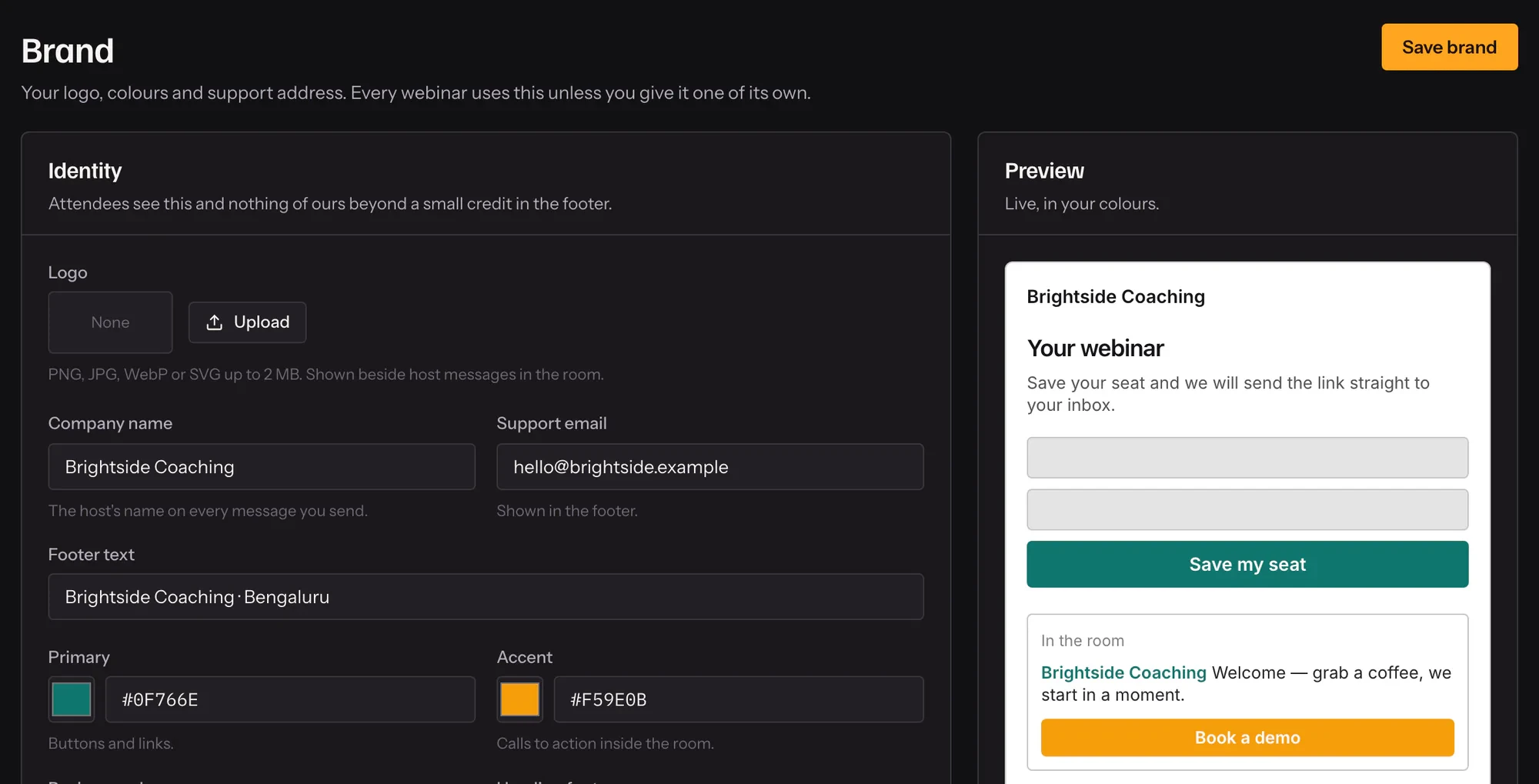
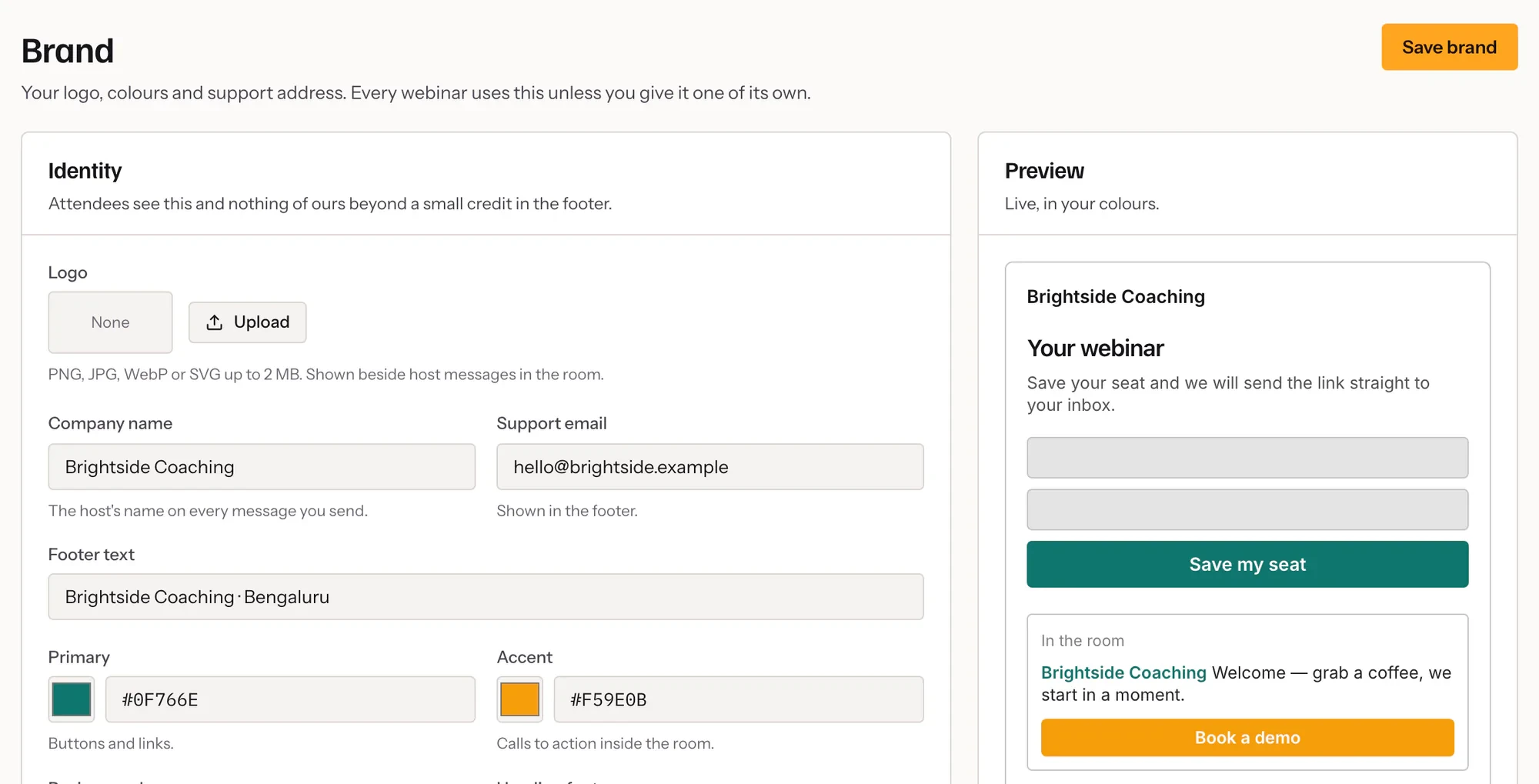
Your logo, colours and fonts on the registration page, in the room and in every email. Attendees see your brand, not ours.
- 01
Set your brand once
Logo, colours, fonts, company name and footer.
- 02
Override per webinar
Give a launch its own look, on plans that include it.
- 03
Ask what you need
Your own registration fields, from text to dropdowns.

In practice
Your brand, everywhere an attendee looks
Set your logo, colours, fonts, company name and footer once. They apply to the registration page, the waiting screen, the room and the end card, and to the reminder emails. The room derives its whole palette from your colours, so nothing is left in ours.
A different look for a different offer
On plans that include it, a webinar can override your brand — a launch in its own colours, a partner session under a partner’s logo. The override starts as a copy of your brand and then stands alone.
Ask what you need to know
Add your own registration fields — text, phone, a dropdown, a checkbox, a longer answer — and the answers travel with each registration into your attendee list and export.
What it includes
- Logo, colours and type
- Applied to the registration page, the room and reminder emails.
- Per-webinar overrides
- A separate brand for a separate offer.
- Your registration fields
- Text, email, phone, select, checkbox and long answers.
- Rich descriptions
- Headings, lists, links and formatting on the registration page and in the room.
Questions
Is my branding on every plan?
Your organizer-wide brand is on every plan. Per-webinar overrides are on the Scale plan.
Can I add custom CSS?
Yes, within a safe set of properties.
Does Cued’s name appear anywhere?
Attendees see your brand on the registration page, in the room and in reminders sent from your domain.
Can I use my own fonts?
Yes, from the font options on the branding screen.
Try it on your own recording
Fourteen days with everything switched on, no card.