Your best session, running on its own.
Record the talk, demo or masterclass you give again and again. Cued runs it every fifteen minutes or on your schedule, with chat that lands on cue and every real question sent to your inbox.
- Set up in under twenty minutes
- Record in your browser
- Works in Hindi and English
- Your branding throughout
The 3-step client framework
23 watchingNew question in your inbox
Anjali S. asked at 18:33
Can I use this for a clinic?
The session you give again and again, given once.
Pick the one that sounds like you. The recording is yours; Cued runs it for every new person who wants it.
Your session
Product walkthrough, with an offer at the end
Runs every 15 minutes, 9 AM to 9 PM
- A walkthrough that answers the same ten questions
- An offer at the minute it lands best
- Reminders by email from your own domain
What changes
- An ad click becomes a session starting in minutes, not next week
- The demo is given the same way every time, even on your day off
- Every question reaches your inbox with who asked it
00:00 / 45:00
People arrive to a room already warm
Scripted messages land at the second you set, so the first minute never feels empty.
- Scroll to start the session
Your inbox
- Questions from real attendees land here.
The actual product
Set it up on a few screens. Then it runs.
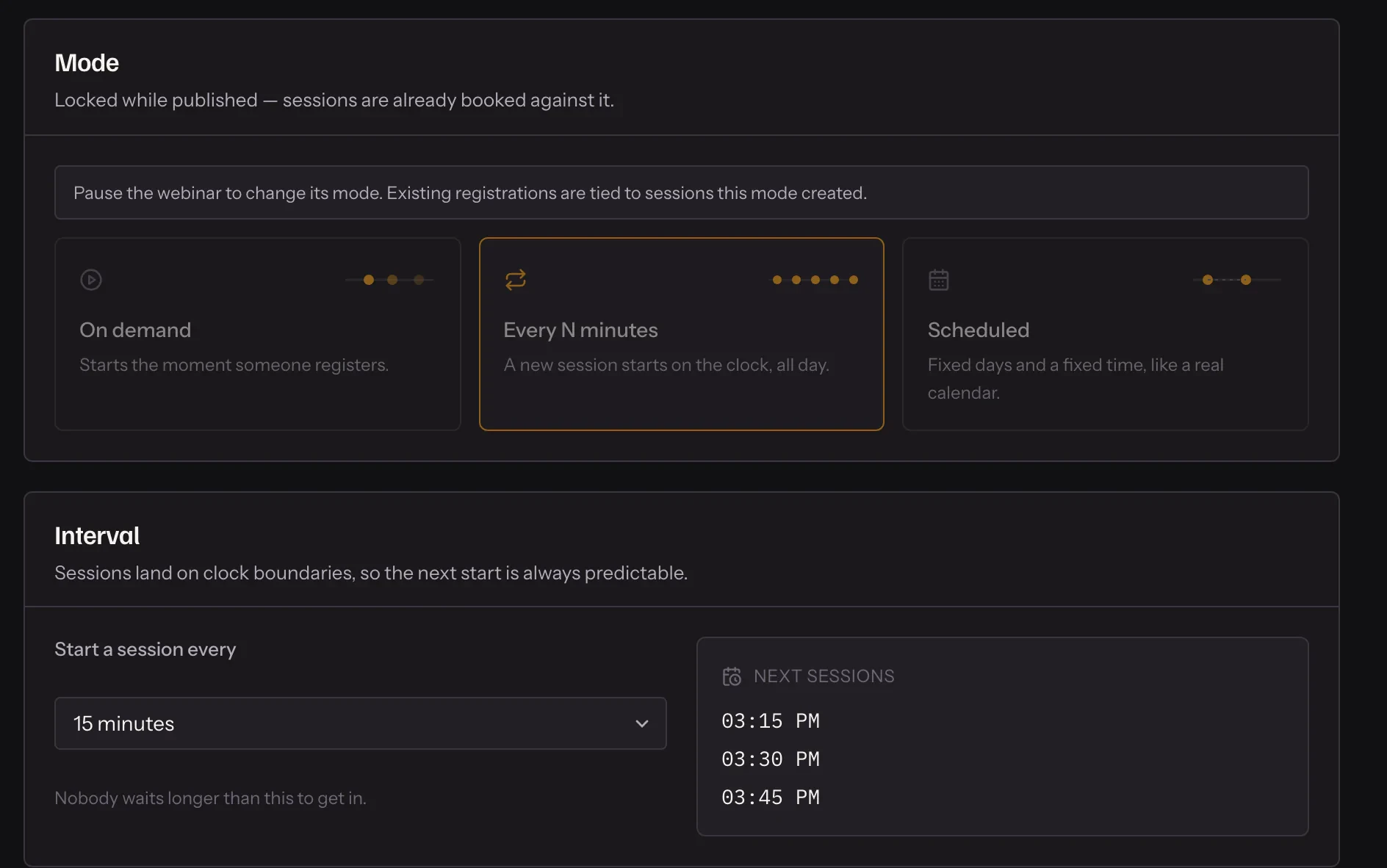
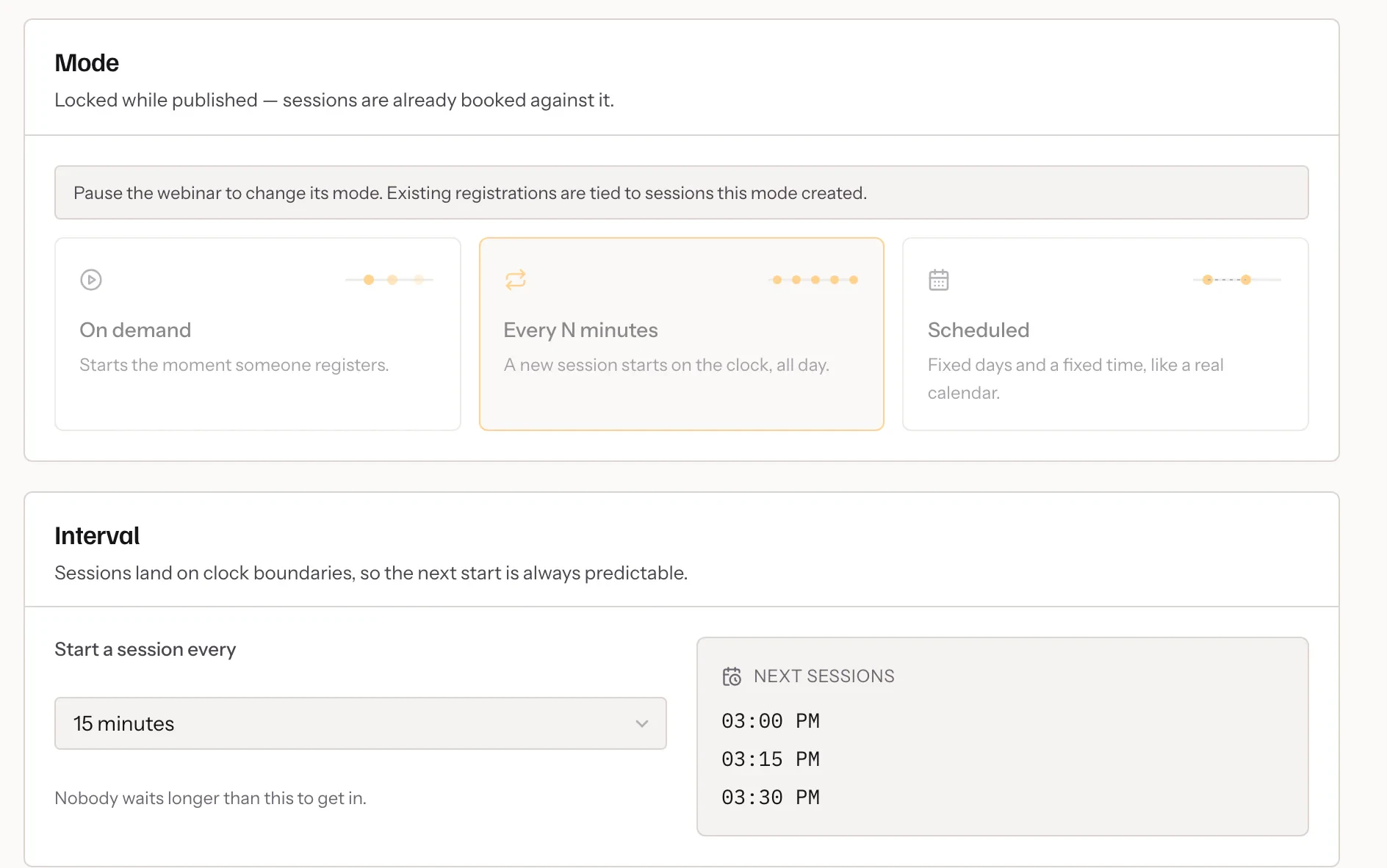
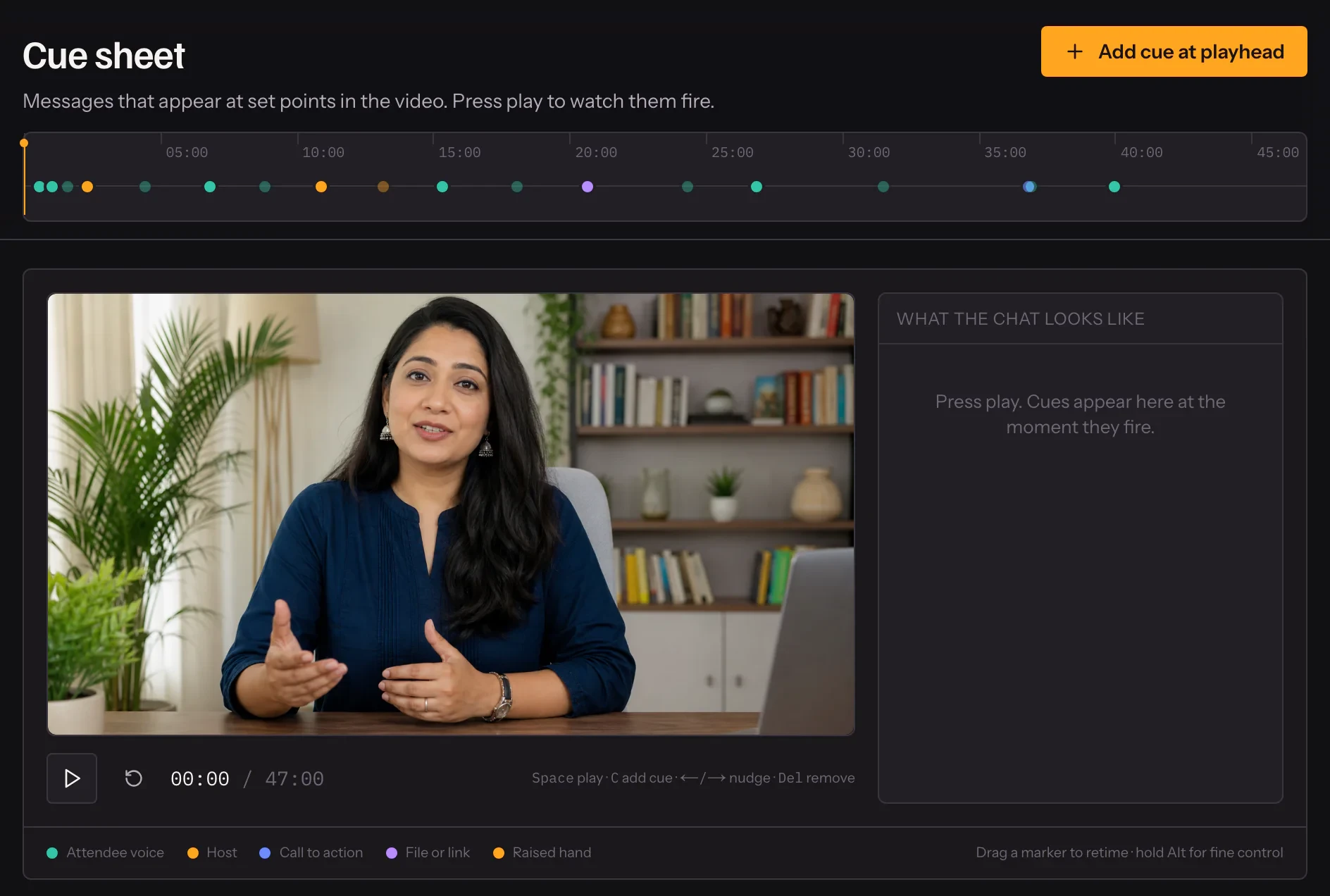
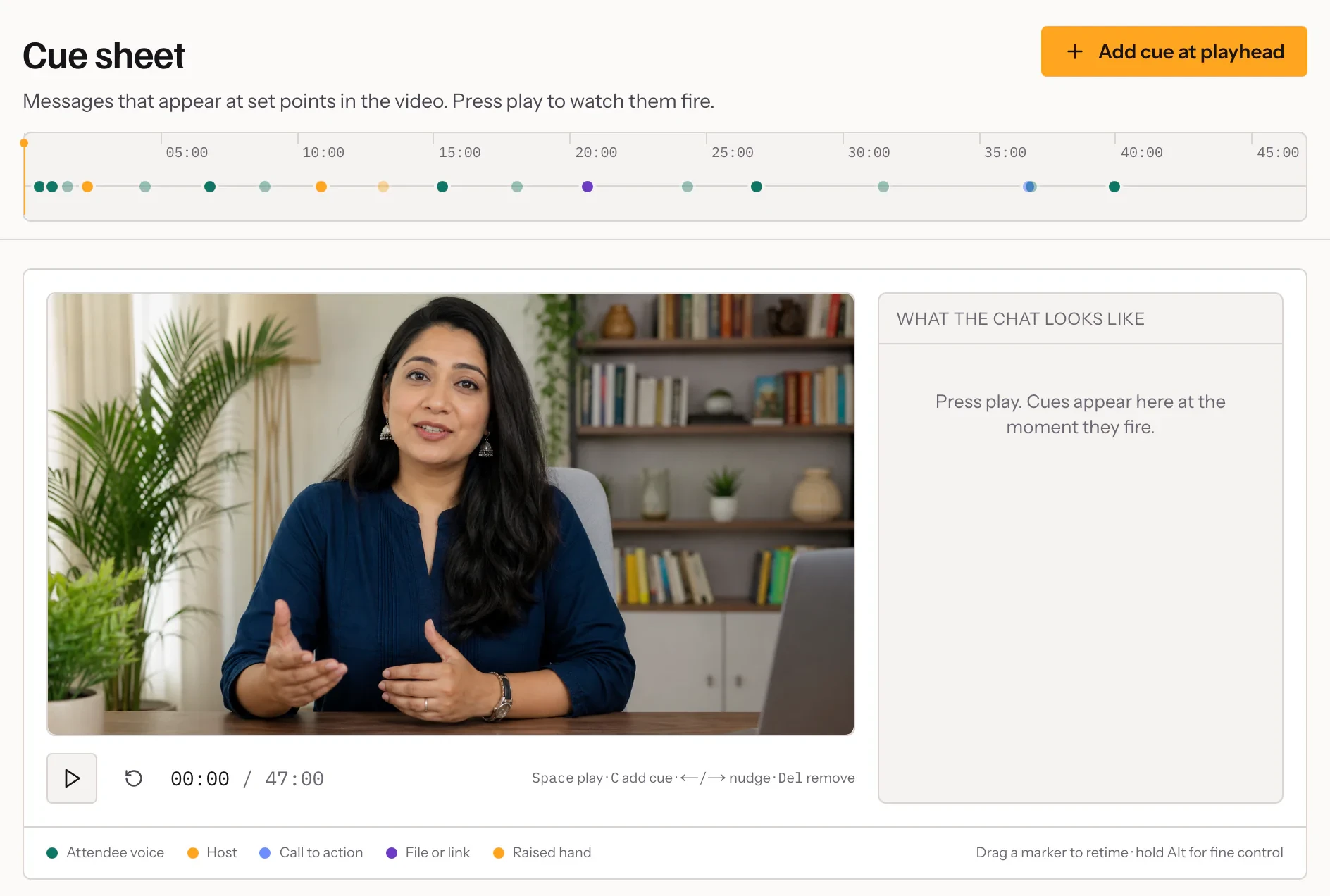
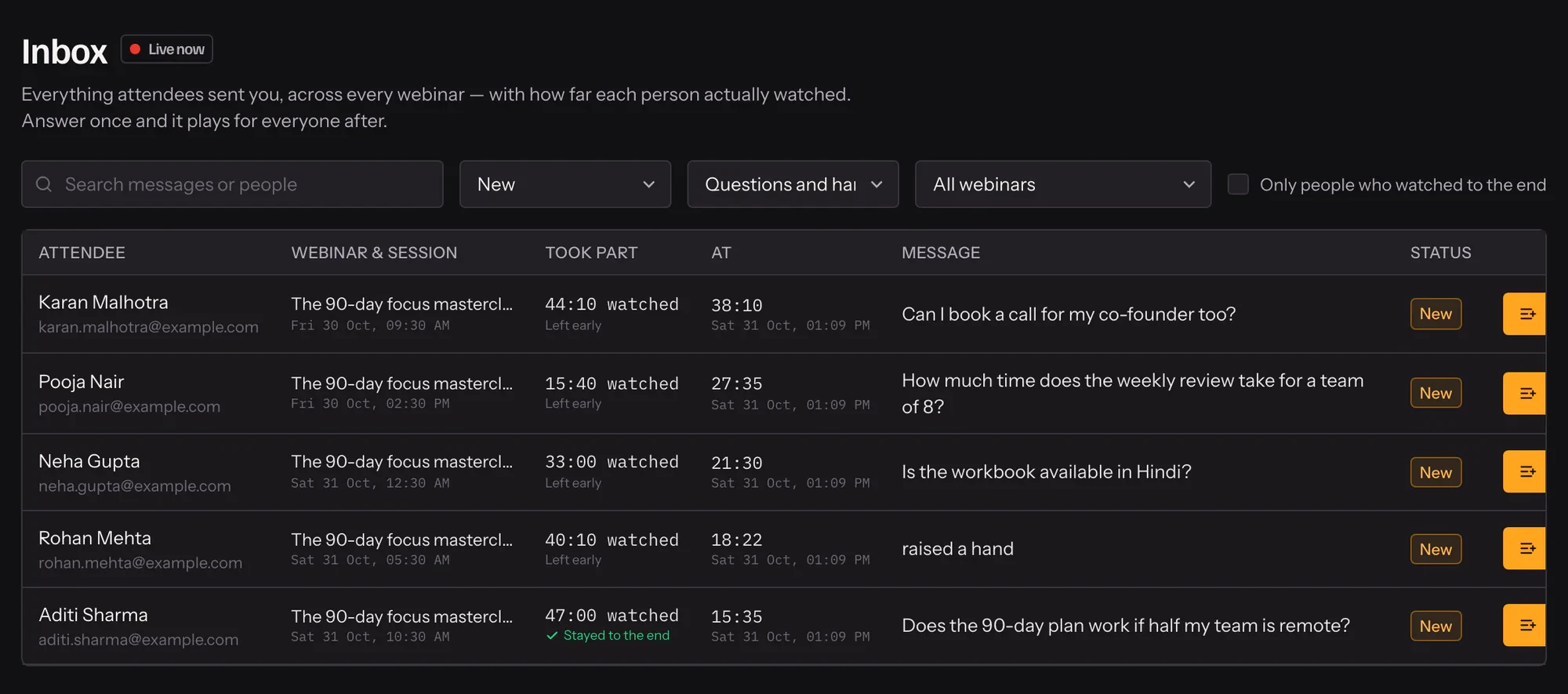
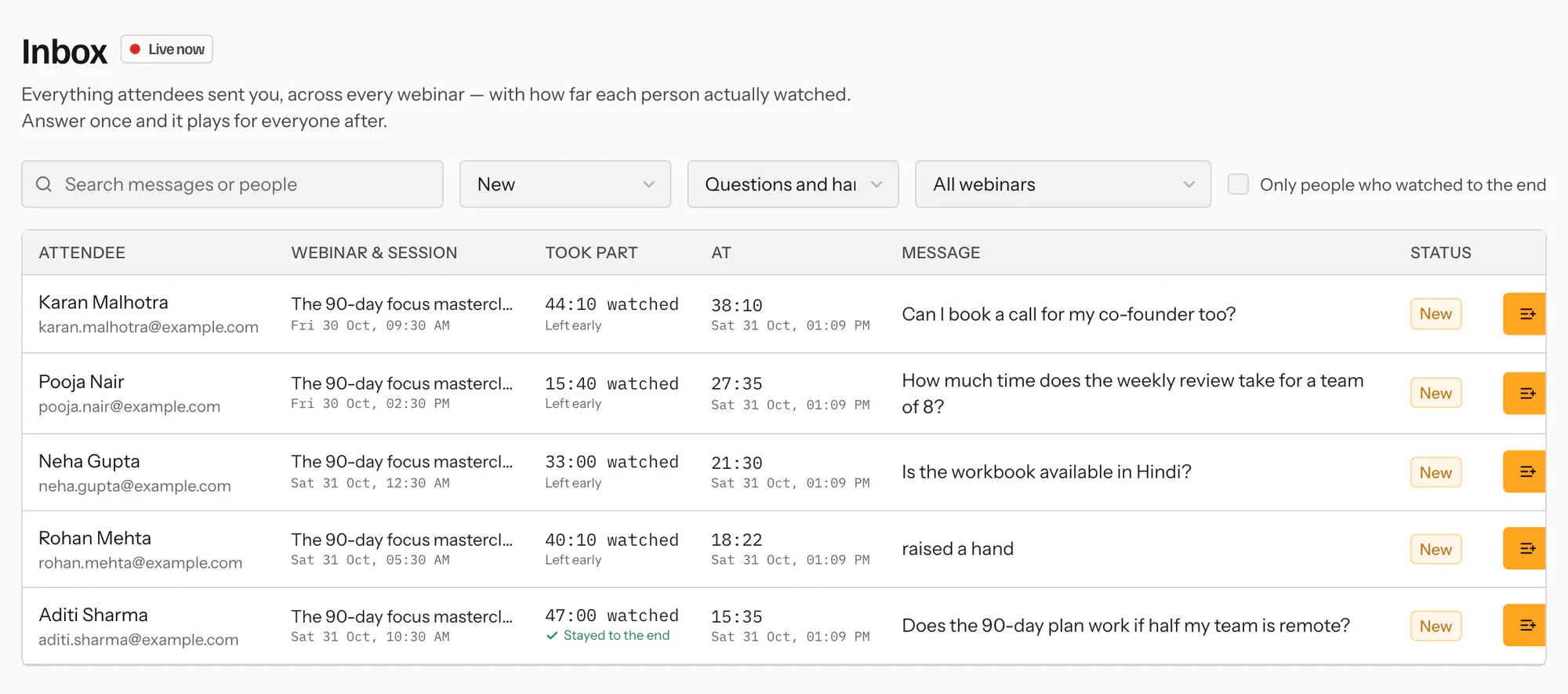
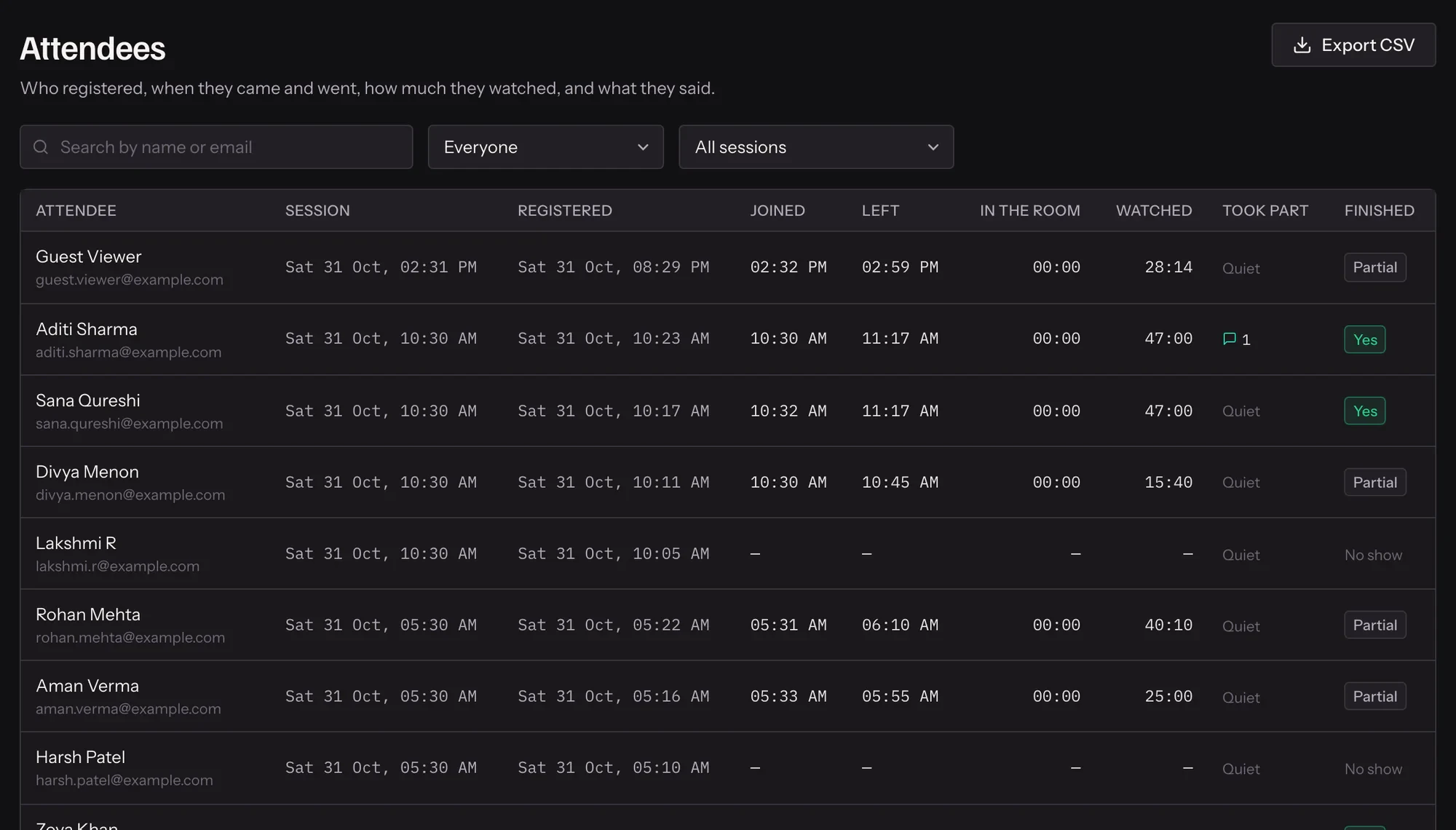
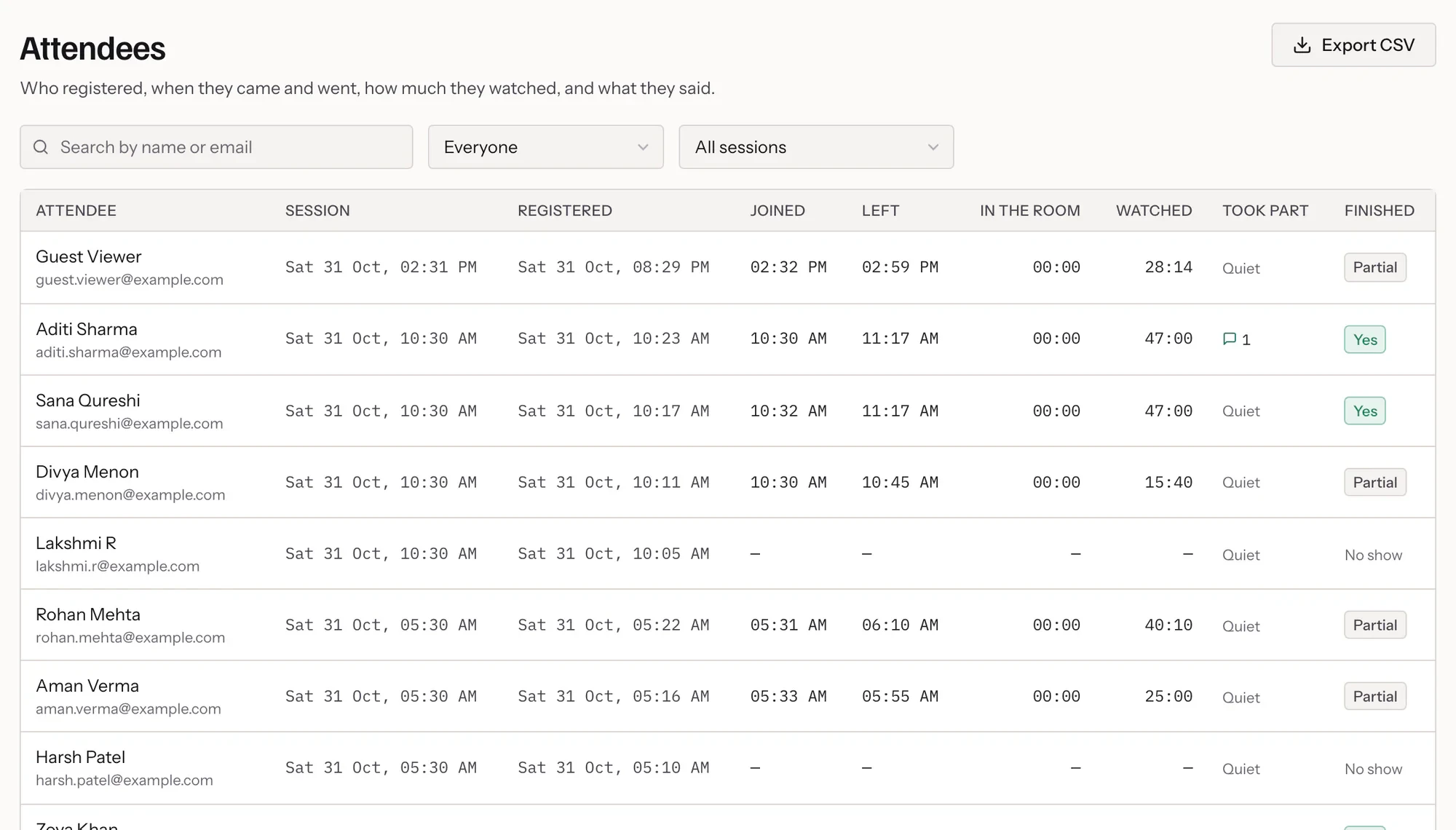
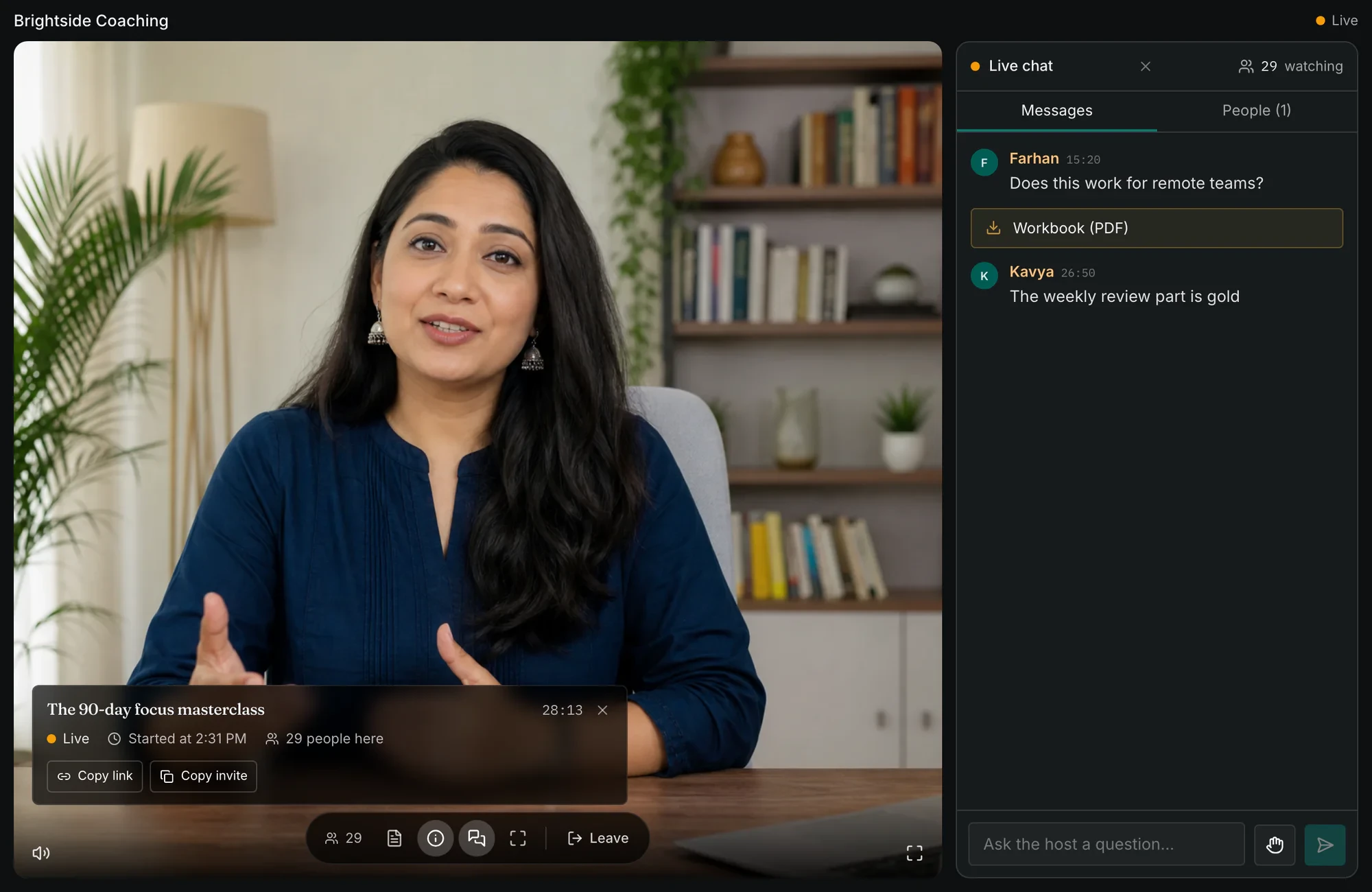
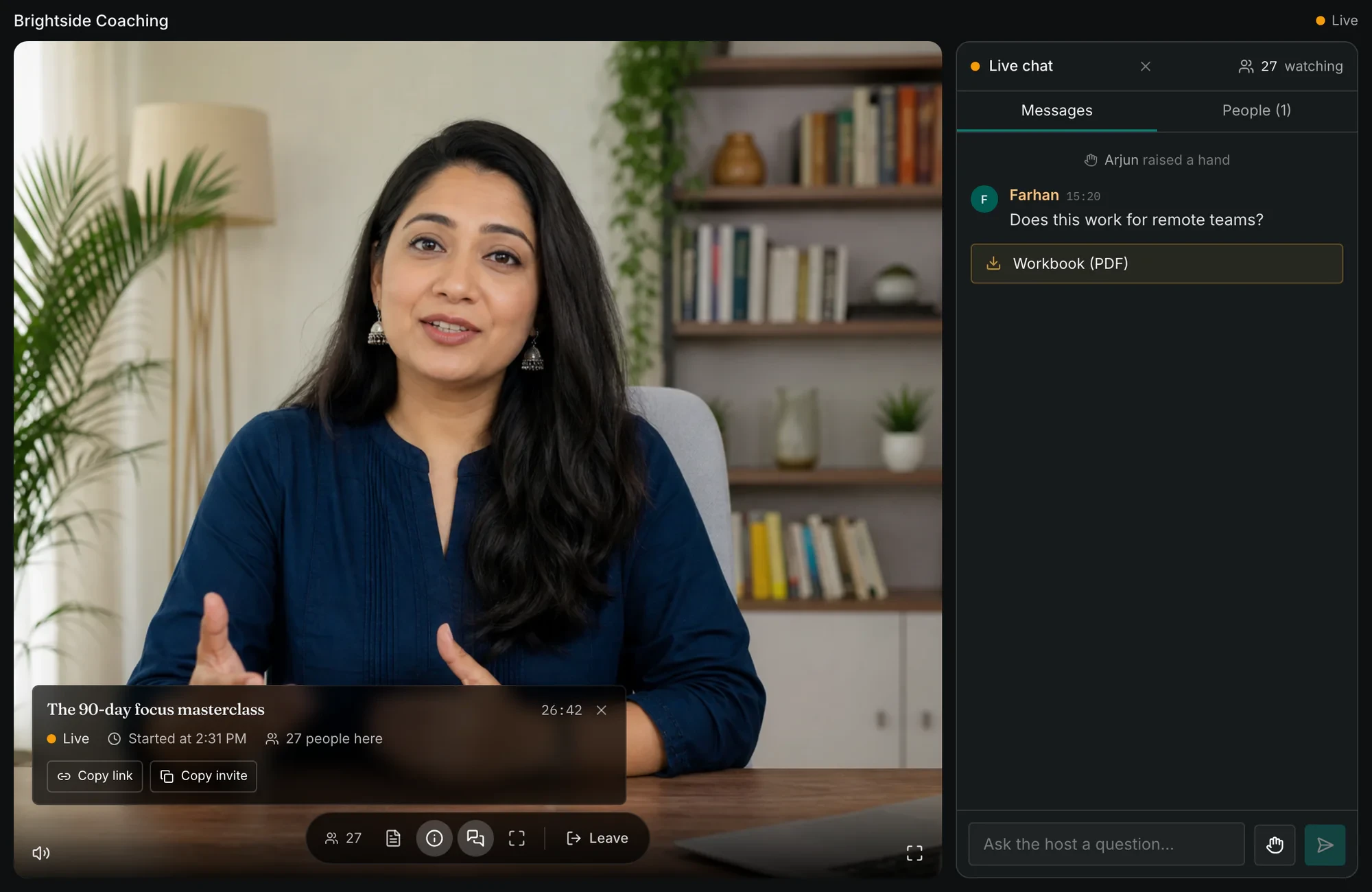
Screens from Cued with a demo account. Names and messages are examples; the presenter is an illustration.
Everything around the session runs without you.
Sessions start every fifteen minutes, so nobody waits for Tuesday
Or on a schedule, or the moment somebody registers. Choose the hours it runs.
Reminders from your own domain
Before it starts, at the start, and a follow-up after — different for those who came and those who did not.
AI writes the chat, in the language you recorded in
It listens to your recording and drafts the room. You keep, edit or discard every line.
Record in your browser — no OBS, no export
Camera, slides and screen share on one stage. What you see is what is recorded.
Your branding on every page an attendee sees
Your colours, your logo and your fonts on the registration page, the room and every email.
See who watched, for how long, and what they asked
Watch time across one session, minute by minute (illustration)
Works in Hindi and English
Write your pages and reminders in either. AI-written chat follows the language of your recording, including the mix most rooms actually speak.
Your first session can run this afternoon.
- 01
Upload or record it
The talk you already gave is fine. It is usually ready to play in about twenty minutes, and you carry on setting up meanwhile.
- 02
Write the room
Pin messages to the moments that matter, or let AI draft them from your recording.
- 03
Choose when it runs
Every fifteen minutes, on a schedule, or on demand. Share the registration link and you are done.
Plans that grow with your audience.
Every plan starts with fourteen days free and no card. Pay yearly and save 50%.
Starter
₹1,999/month
₹999 a month paying yearly
For your first evergreen webinar.
- 3 webinars live, 5 in total
- Videos up to 45 minutes
- 10 GB of video
- 90 Autocue minutes a month
- Your logo and colours
Most chosen
Growth
₹4,999/month
₹2,499 a month paying yearly
Multiple funnels, full branding.
- 5 webinars live, 30 in total
- Videos up to 1 hours
- 50 GB of video
- 400 Autocue minutes a month
- Your logo and colours
Scale
₹9,999/month
₹4,999 a month paying yearly
Unlimited webinars, everything on.
- 10 webinars live, 100 in total
- Videos up to 3 hours
- 200 GB of video
- 1000 Autocue minutes a month
- Branding per webinar
Everything in each plan
Every limit here is the one the product enforces, read from the plans themselves.
Starter
Webinars
- Live at once3 webinars
- Webinars in total5 webinars
- Video lengthUp to 45 minutes
- Storage10 GB of video
- Attendees per session100
The room
- Scripted chat
- Cues per webinar100 cues
- Simulated audience
- Audience size100 people
- Live chat and raised hands
- Handouts and links
Autocue
- AI-written audience
- Included each month90 minutes
Your brand
- Logo and colours
- Per-webinar branding
- Email from your domain
- Custom registration fields
Everywhere
- Three scheduling modes
- Registrations and CSV export
- Email reminders and follow-ups
- Attendance and drop-off reporting
Growth
Webinars
- Live at once5 webinars
- Webinars in total30 webinars
- Video lengthUp to 1 hours
- Storage50 GB of video
- Attendees per session200
The room
- Scripted chat
- Cues per webinar200 cues
- Simulated audience
- Audience size100 people
- Live chat and raised hands
- Handouts and links
Autocue
- AI-written audience
- Included each month400 minutes
Your brand
- Logo and colours
- Per-webinar branding
- Email from your domain
- Custom registration fields
Everywhere
- Three scheduling modes
- Registrations and CSV export
- Email reminders and follow-ups
- Attendance and drop-off reporting
Scale
Webinars
- Live at once10 webinars
- Webinars in total100 webinars
- Video lengthUp to 3 hours
- Storage200 GB of video
- Attendees per session1000
The room
- Scripted chat
- Cues per webinar1000 cues
- Simulated audience
- Audience size300 people
- Live chat and raised hands
- Handouts and links
Autocue
- AI-written audience
- Included each month1000 minutes
Your brand
- Logo and colours
- Per-webinar branding
- Email from your domain
- Custom registration fields
Everywhere
- Three scheduling modes
- Registrations and CSV export
- Email reminders and follow-ups
- Attendance and drop-off reporting
The questions people ask first
Do attendees know it is a recording?
Cued plays your recording on a synced clock, so everybody in a session is at the same moment and nobody can skip ahead. You decide how to describe it; most people call it a session that starts every few minutes, which is honest and works.
What happens when somebody asks a real question?
It reaches your inbox with their name and the moment they asked it. Reply by email, or straight into their room if you are watching. Nothing is answered automatically.
How long does setup take?
Under twenty minutes for most people, much of it waiting for the video to process — and you can carry on setting up while it does.
Do I need a camera, OBS or editing software?
No. Upload a video you already have, or record in the browser with your camera, slides and screen share on one stage.
What does it cost after the trial?
The trial is fourteen days with no card, and nothing is charged when it ends unless you choose a plan. Plans and prices are on the pricing page; paying yearly saves 50%.
Record it once. Let it run.
Fourteen days with everything switched on. If it is not working for you, do nothing and it stops.