See who watched, for how long, and what they asked.
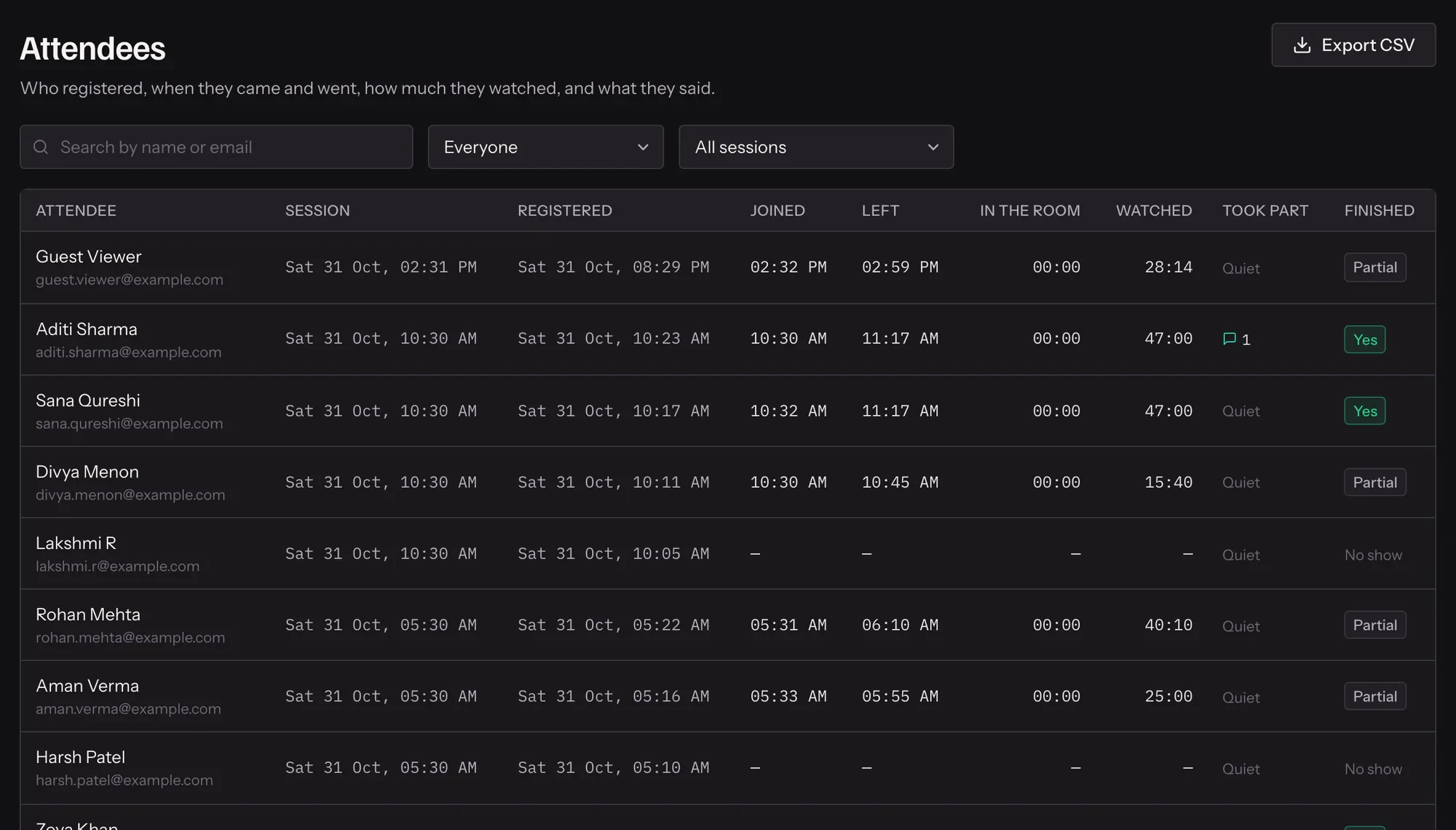
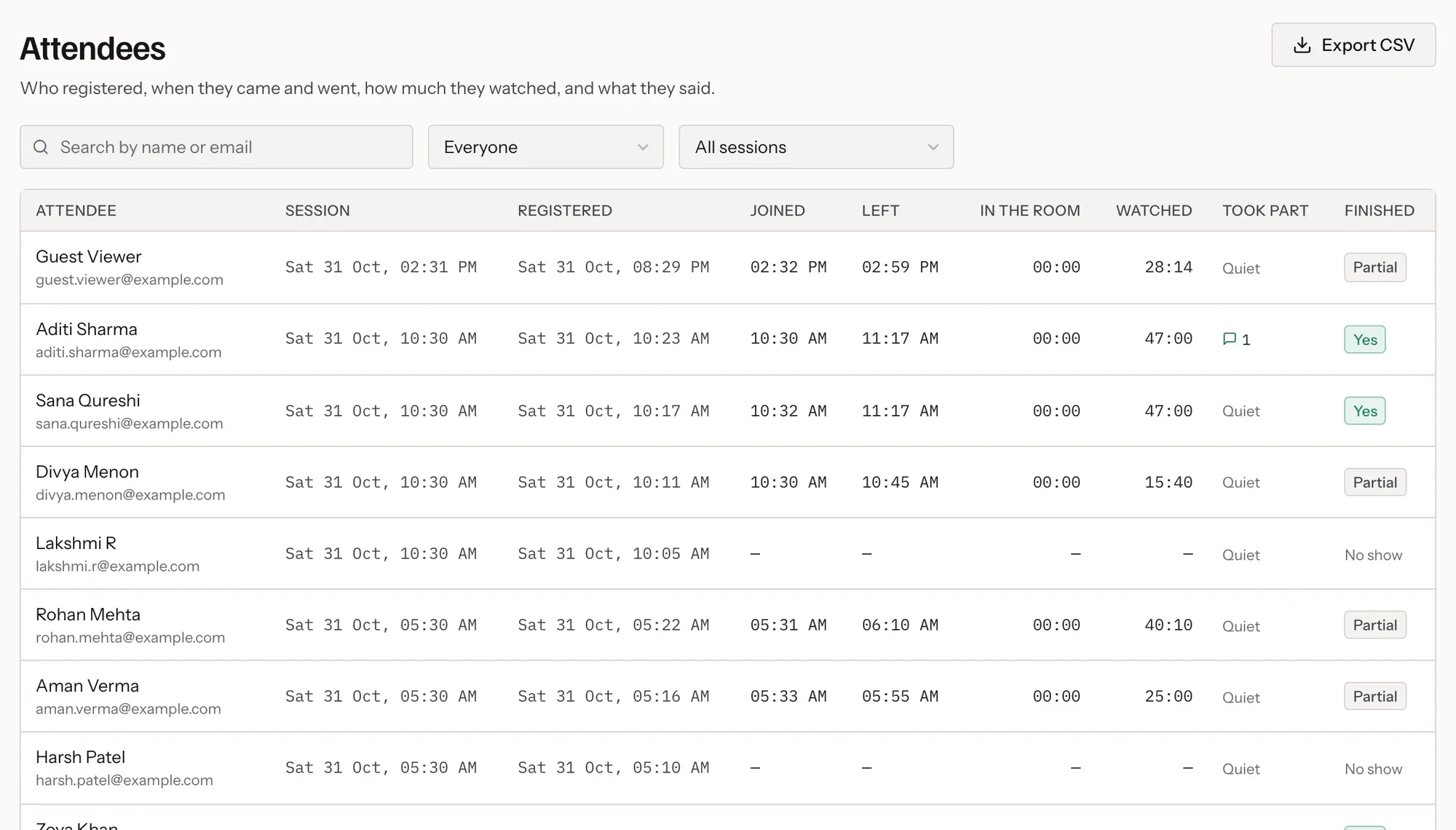
Every registration becomes a record: whether they joined, how far they got, whether they stayed to the end, and every message they sent.
- 01
They register
One row per person, updated if they register again.
- 02
They watch
Join time, watch time and completion are recorded as they go.
- 03
You follow up
Filter attendees, no-shows and engaged people, and export.

In practice
One row per person, kept up to date
Every registration records the session they booked, whether they joined, when, how far into the recording they got, and whether they stayed to the end. Their messages and raised hands are counted beside it.
Measured the way people actually watch
Watch time follows the session clock while the room is open, so a phone that locked its screen, or a player that paused to buffer, does not count somebody as having left. What you see is how long they were in the room.
From a list to a follow-up
Filter to attendees, no-shows, people who finished, or people who spoke up, and export the result as CSV for your CRM or a spreadsheet. The same split drives the follow-up emails, so the list and the mail agree.
What it includes
- Watch time and completion
- How far through the recording each person got.
- Engagement
- Messages sent and hands raised, per attendee.
- Filters
- Attended, no-show, completed and engaged.
- CSV export
- Take the list into your CRM or spreadsheet.
Questions
Is watch time accurate on phones?
It follows the session clock while the room is open, so a locked screen or a paused player does not count somebody as leaving early.
Can I see who is watching right now?
Yes. Live now lists the sessions running and who is in them.
Are custom registration answers in the export?
Yes. Your own fields are included alongside name, email and attendance.
Can I see one session on its own?
Yes. Each registration carries its session, so you can look at who came to a particular sitting.
Try it on your own recording
Fourteen days with everything switched on, no card.